 The Home Operating System
How it works
Understand. Prioritise. Act. Remember.
HoWA is the memory and judgement layer of the home. It starts before checkout: it captures context, understands the home, recommends what matters, routes action when needed, and saves the outcome back to the living record.
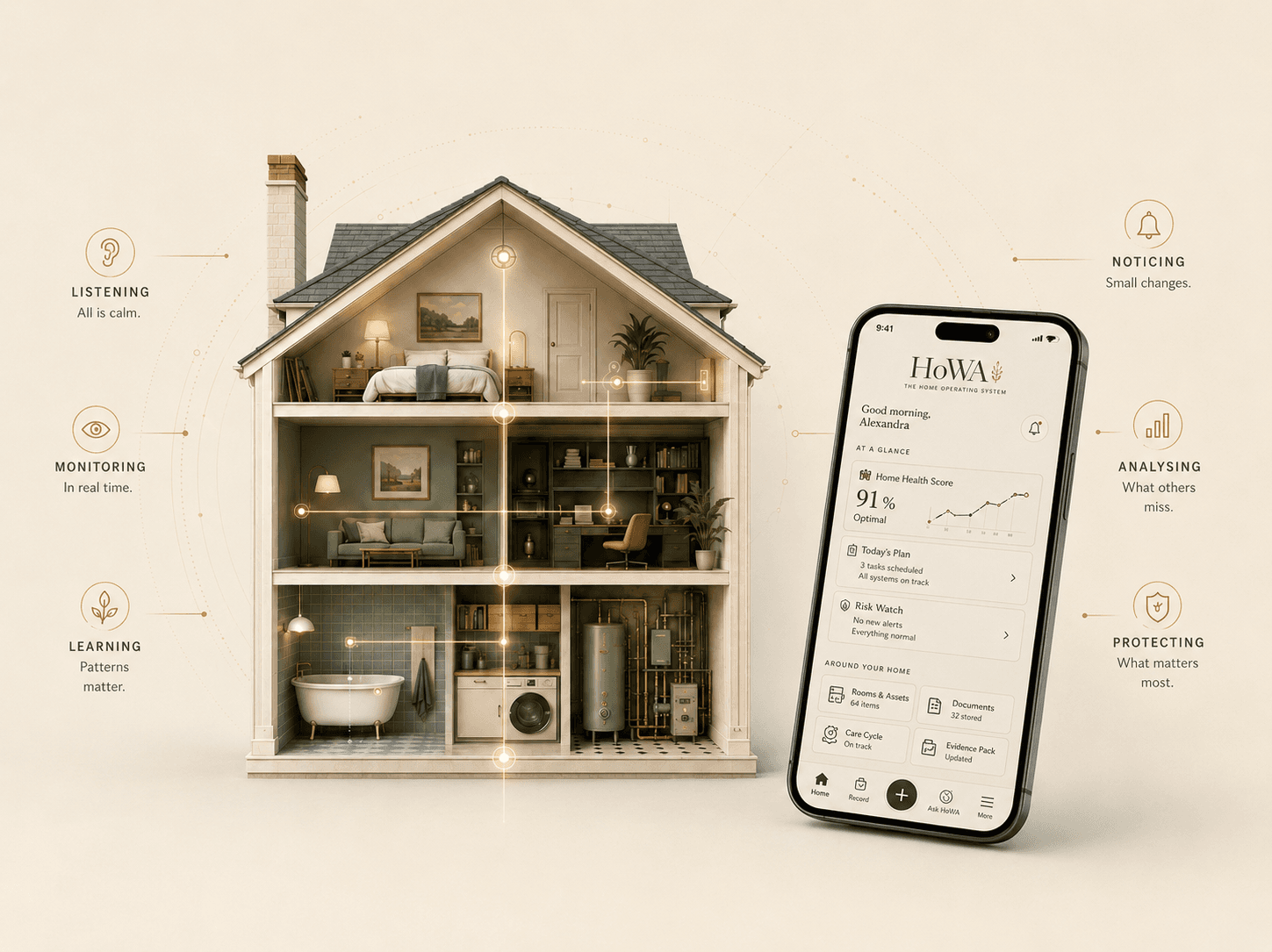
Understand
The address creates the first portrait. Public records, documents and decisions form one living record.
Prioritise
HoWA reads what matters now, what can wait, and what is quietly forming as risk.
Act
Answers become tasks, reminders, plans or optional trusted fulfilment, in the right order.
Remember
Every action, cost, photo, guarantee and outcome writes back and sharpens the home record.
The operating model, step by step.
- 1
Start with the address
Enter your address and HoWA assembles a first portrait from public records: age, build, energy, ground, flood and history.
- 2
Capture context
Tell HoWA what brought you, and add the home's documents, scans and details. The record begins the moment you save.
- 3
Build the record
Everything resolves to one address-bound memory: identity, rooms, assets, documents, tasks, services, protection and history.
- 4
Ask, scan, upload
Ask the home a question, scan an issue or a room, or upload a document. HoWA reads each one against the record.
- 5
Recommend the next action
HoWA explains what it found, with source and confidence, and proposes the next right action, not a wall of options.
- 6
Route action if needed
When work is required, HoWA writes the brief and can route it to the House or an approved partner. Acting is always optional.
- 7
Write back
The job, cost, photos, guarantee and outcome return to the record, and the HoWA Score moves. The home gets more legible over time.
Insight before action. Action before checkout. Continuity after every action.
What HoWA can see
From first scan to full home intelligence.
Not a drawer of separate tools. Each capability reads from, and writes back to, the one home record, so the home gets more legible over time.
Repair scan
Photograph or describe an issue. HoWA reads the likely category, urgency and what to check next.
Writes back · an issue, a task and diagnostic history
Garden scan
Scan a plant, lawn, border or seasonal concern for care guidance and timing.
Writes back · a garden note, a care task and a seasonal prompt
Room scan
Capture a room, intention, taste and budget into a saved design brief.
Writes back · a room brief and a project record
Document intelligence
Upload warranties, policies, invoices and surveys. HoWA extracts dates, costs, expiries and gaps.
Writes back · the document, its dates, reminders and evidence
Invoice and cost memory
What was done, who did it, when, what it cost, and whether the issue is recurring.
Writes back · cost history by asset, room and provider
Tasks and seasonal plan
Answers become tasks, reminders and a maintenance calendar that knows the home.
Writes back · tasks, reminders and a seasonal calendar
Protection and risk register
Risks tracked, prompts raised, evidence kept, before small things become expensive.
Writes back · risk items, evidence and renewal dates
Utilities and control
Usage intelligence and supported device control where connected, on Steward.
Writes back · usage readings and device state
The app
Your whole home, on one calm screen.
Open it to your score, today's plan, what is worth watching, and the next right thing to do. Not a wall of dials, just what your home needs next. It deepens with each tier: Assistant simple, Housekeeper organised, Steward predictive.
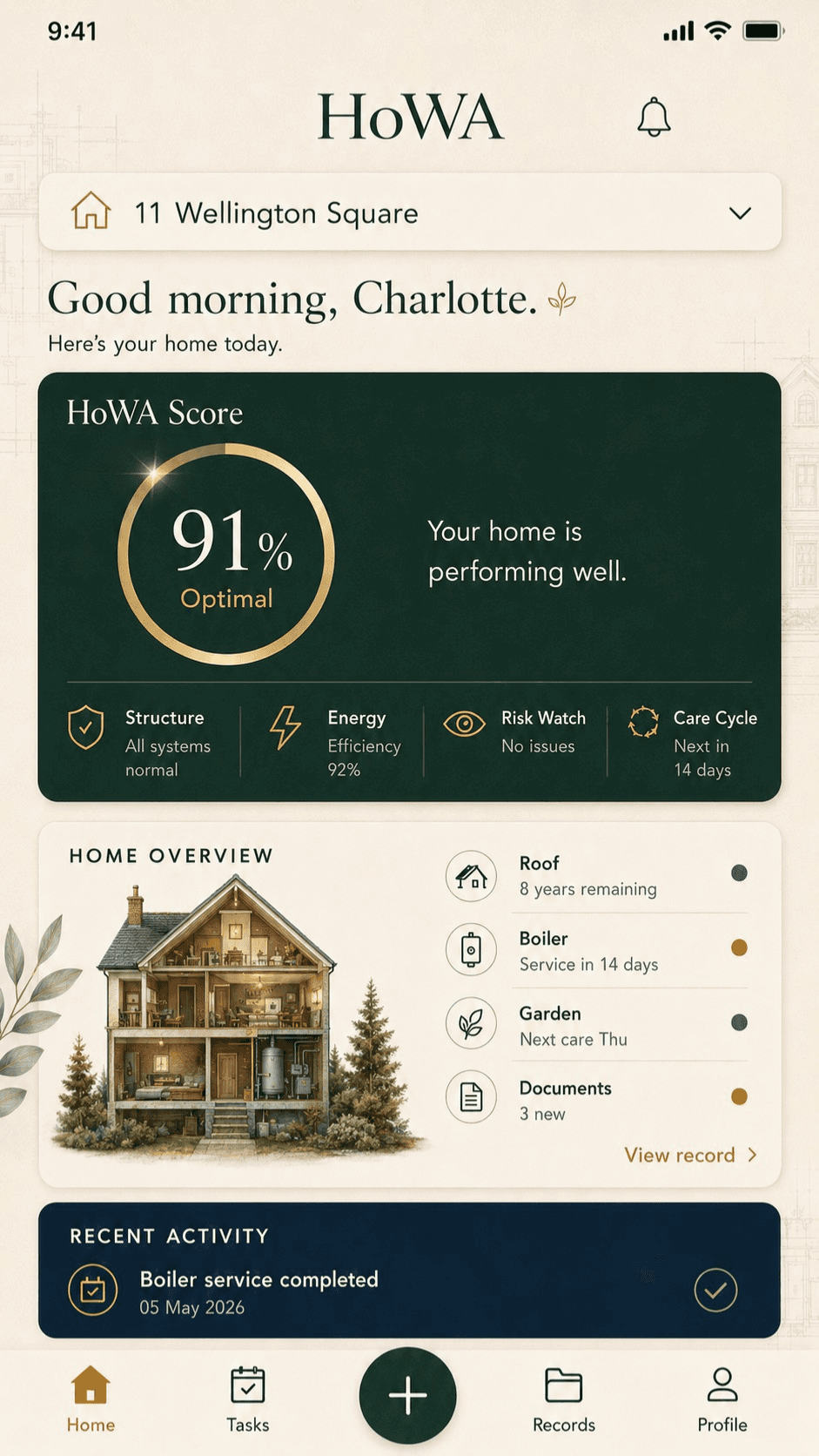
Every tier
Home Overview
The home at a glance: HoWA Score, rooms, assets and what needs attention.
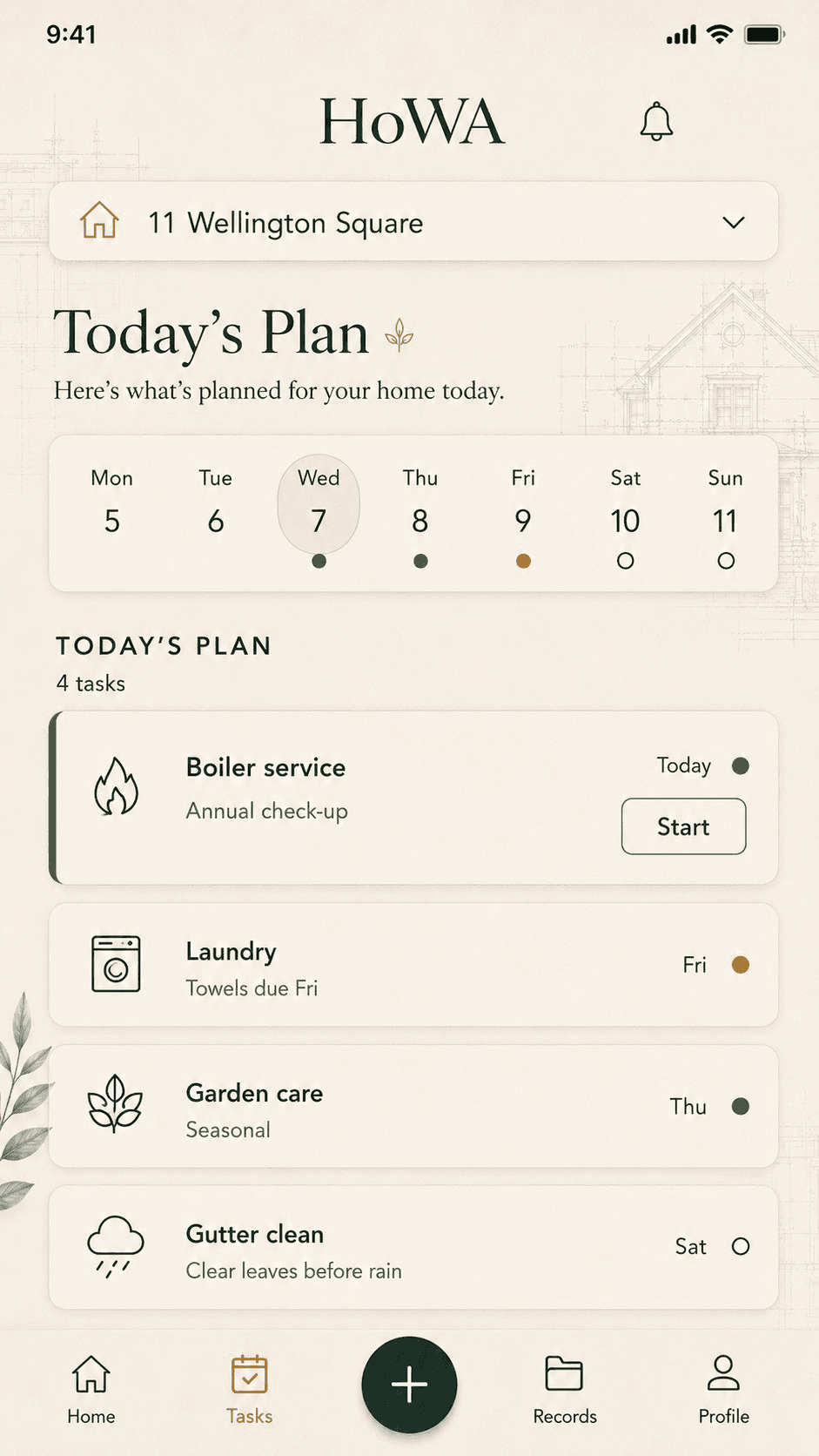
Housekeeper
Today's Plan
What matters today, sequenced, with the next right action first.
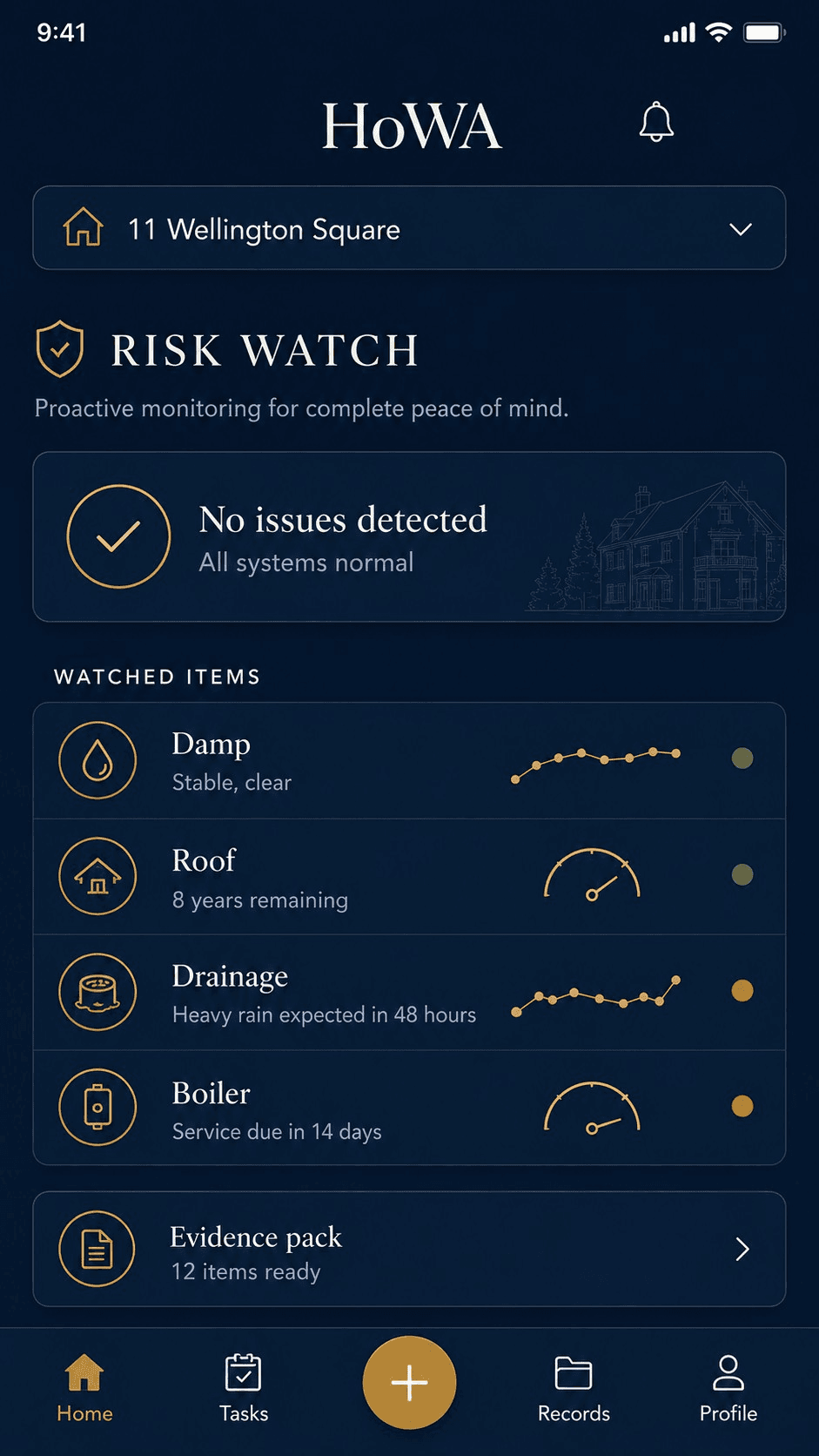
Steward
Risk Watch
What is quietly forming, watched and warned before it becomes expensive.
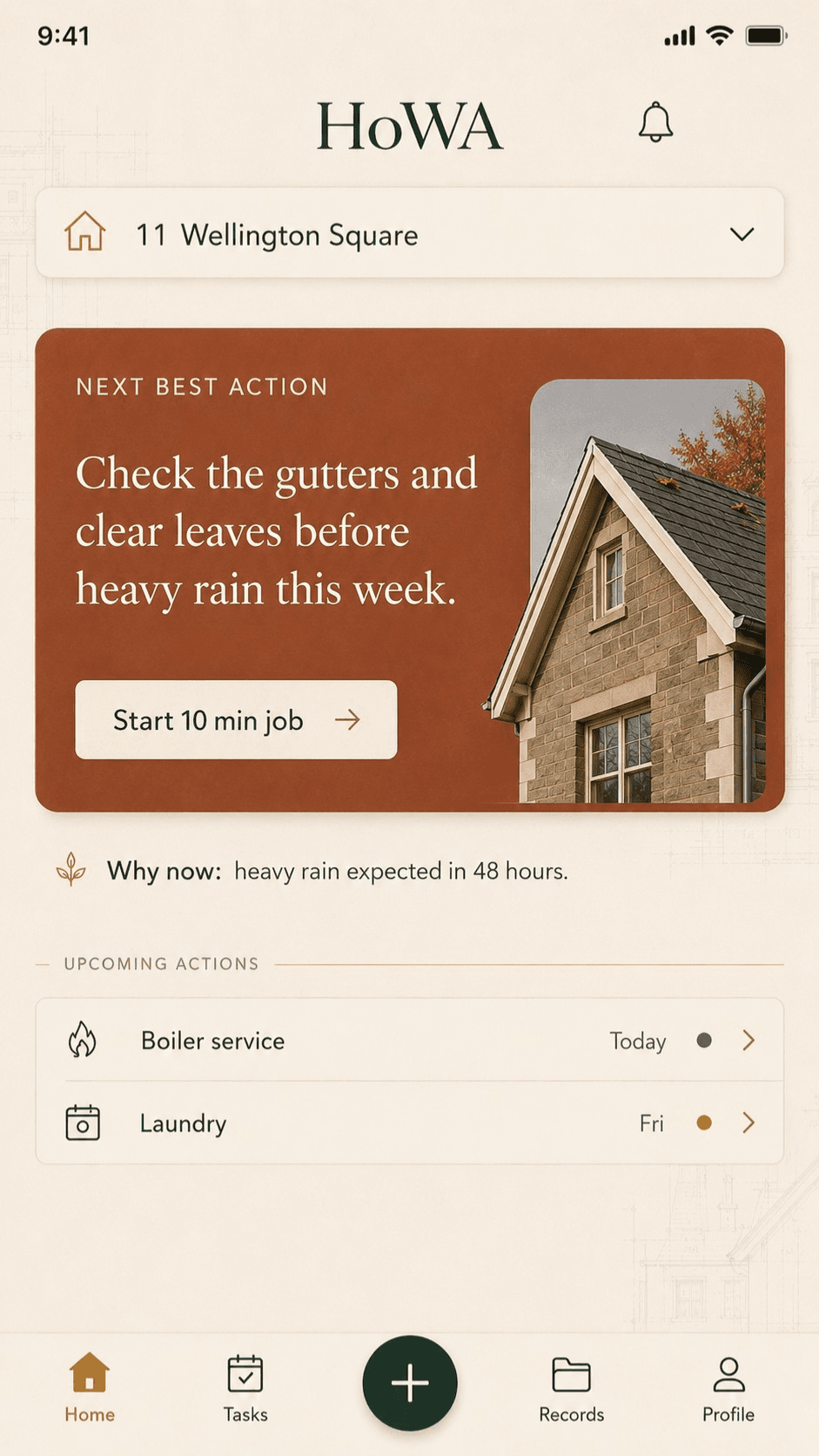
Every tier
Next Best Action
One calm prompt at a time, drawn from the record, not a wall of options.
Step inside
Try the first home record.
Open a sample home, or pop in your postcode and tap Save this record to begin yours. Preview mode saves nothing until you do.
Ask HoWA
Anything about the home, garden or a document.
Scan a problem
Point and get what it is, how urgent, what's next.
Add a document
Watch the HoWA Score sharpen as the record fills.
Create a plan
Turn what's found into the next right action.

Try it yourself
Take a look around. Tap anything.
Set up your home, scan a room, restyle a space, add a document or book a service. Nothing you tap is saved.
HoWA
Set up your home
HoWA links everything to your address, not your phone. Pop in a postcode to begin.
A live preview of the HoWA record. No account needed.